Six app packages, one platform
Gemba Tools consists of independent app packages, each supporting a different stage of the continuous-improvement cycle. Start with the package you need and add the others over time.
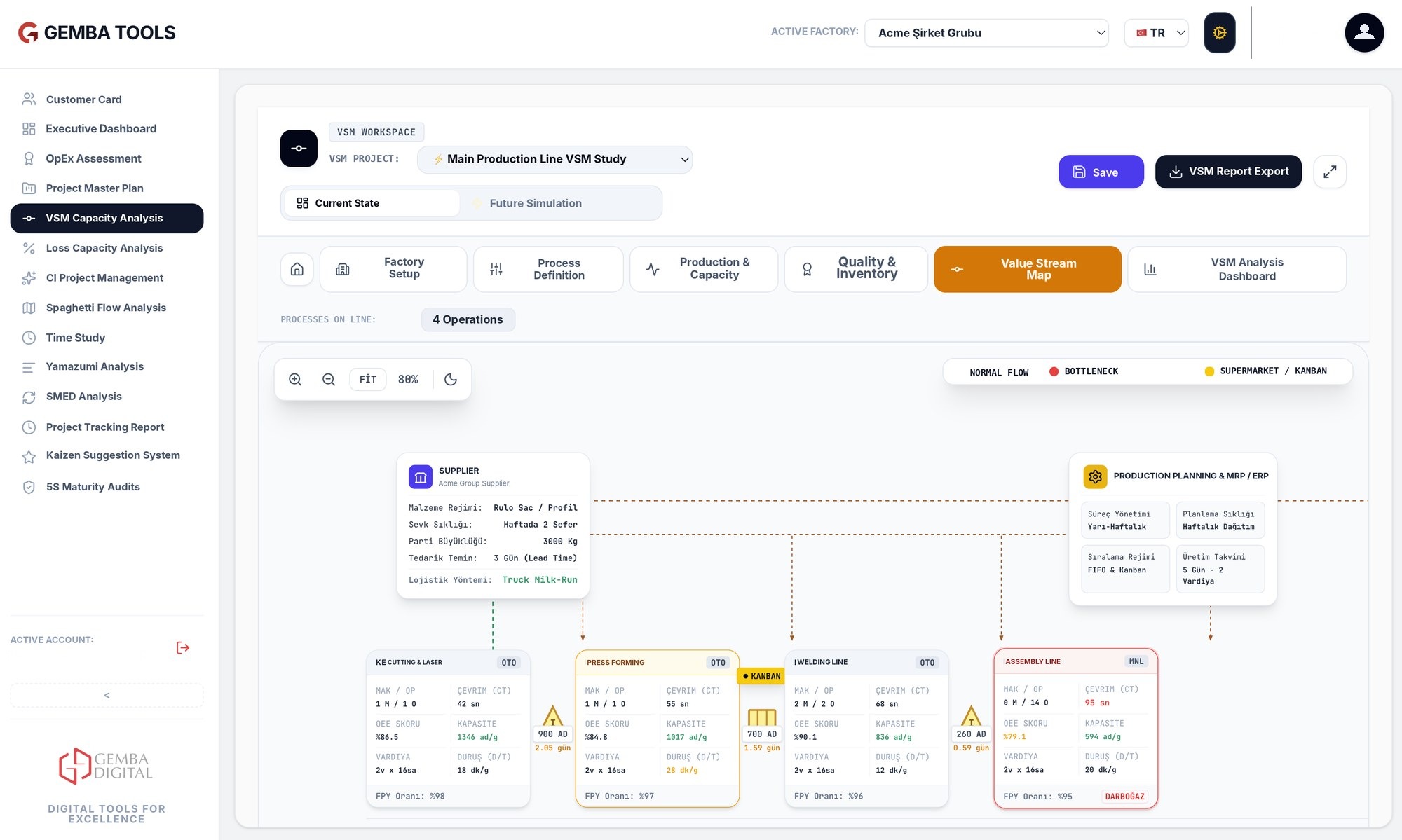
VSM
Map process steps, cycle times, inventories and capacity constraints on a tablet. Identify bottlenecks and understand total lead time in one view.
- Current and future state map
- Cycle time, inventory and capacity calculation
- Bottleneck and value-added time ratio
- Report the map and share it with the team

Loss Analyzer
Record losses such as waiting, scrap, stoppage and rework on the shopfloor; identify the biggest opportunity with Pareto.
- Quick entry by loss type
- Automatic prioritization with Pareto
- Comparison by line and shift
- From loss to improvement project
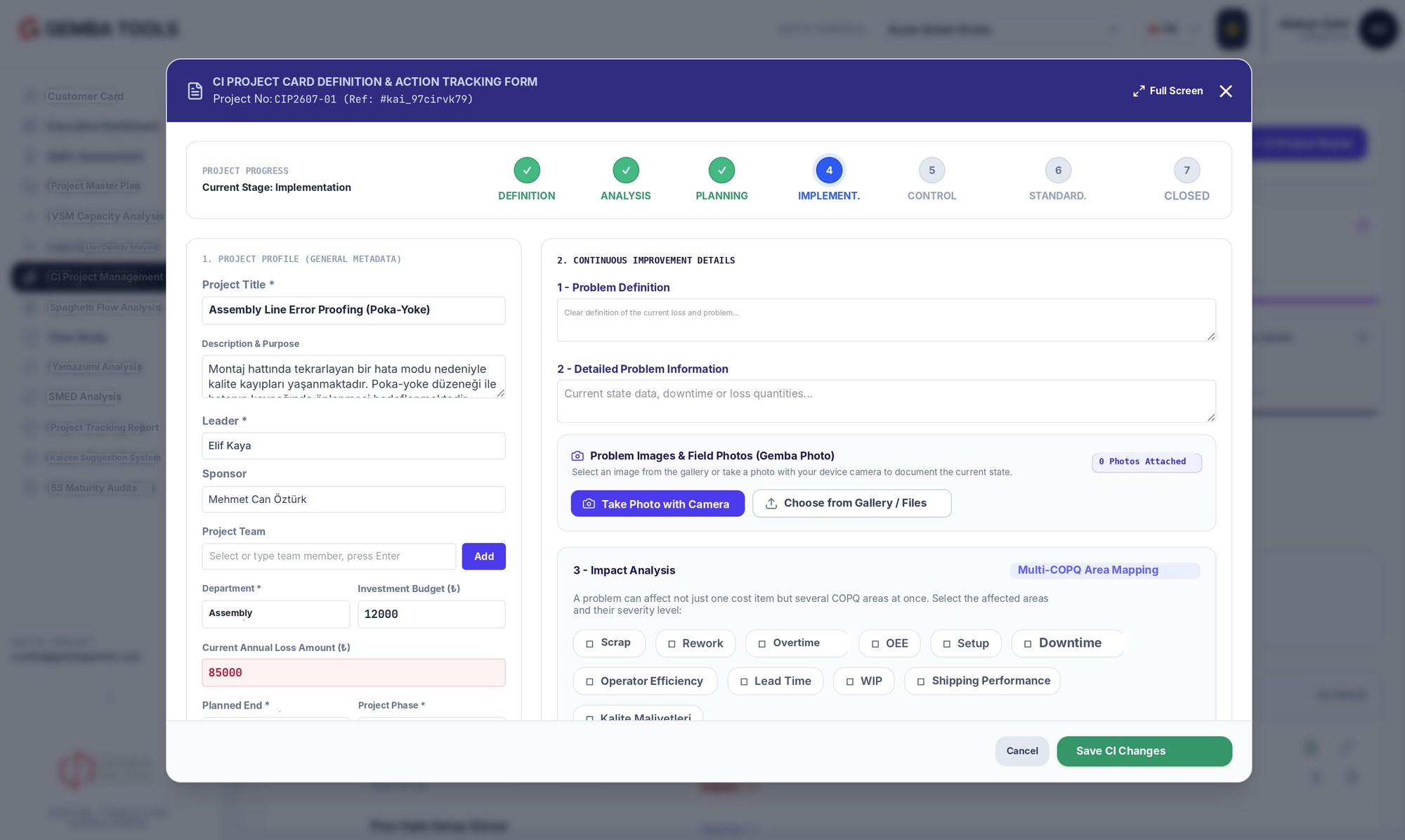
CI Project Manager
Collect all your continuous improvement projects in a single portfolio; track targets, owners, due dates and progress in real time.
- Target, owner and due-date tracking
- Define – analyze – implement – standardize flow
- Project portfolio and progress view
- Expected vs. actual gain comparison
OpEx Assessment
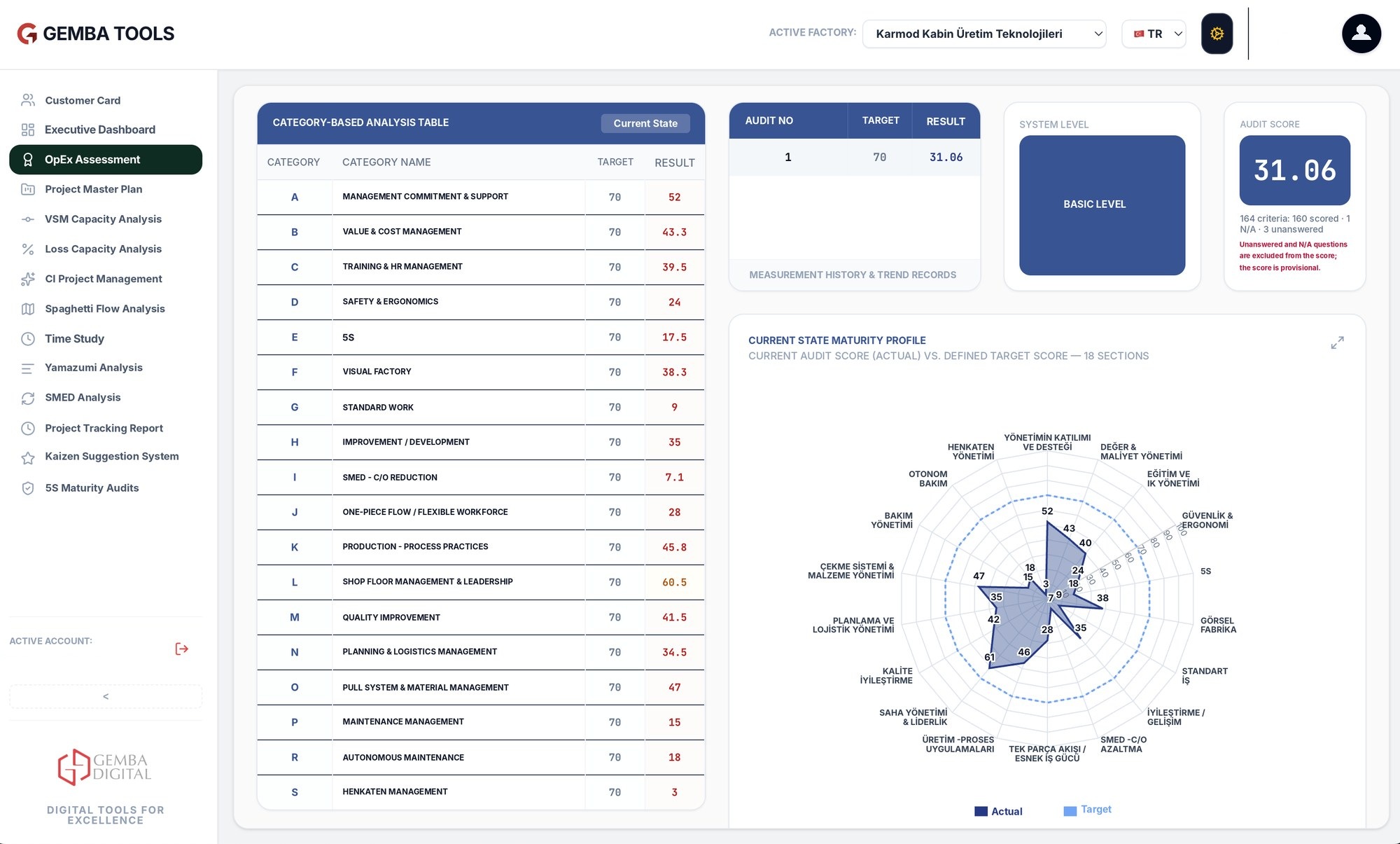
Score the factory's operational excellence level with a standard question set; see strengths and weaknesses by dimension.
- Structured maturity question set
- Score by dimension and radar view
- Create action plans from findings
- Repeat assessments and compare results over time
Kaizen Suggestion Management
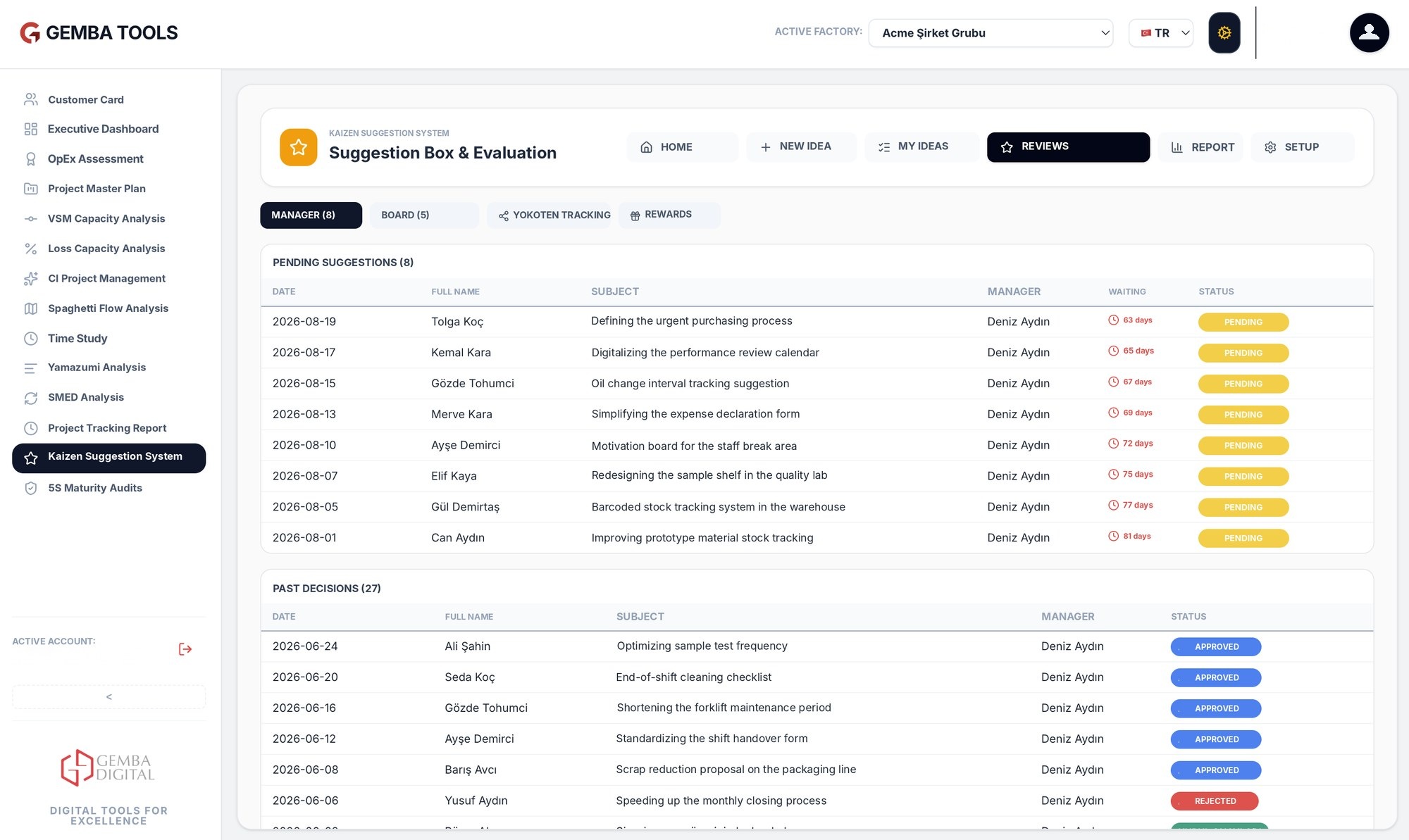
Collect employee suggestions on the shopfloor, evaluate them and make implemented improvements visible.
- Quick suggestion entry on tablet or kiosk
- Evaluation and approval flow
- Tracking of implemented improvements
- Participation and suggestion reports
5S Audit
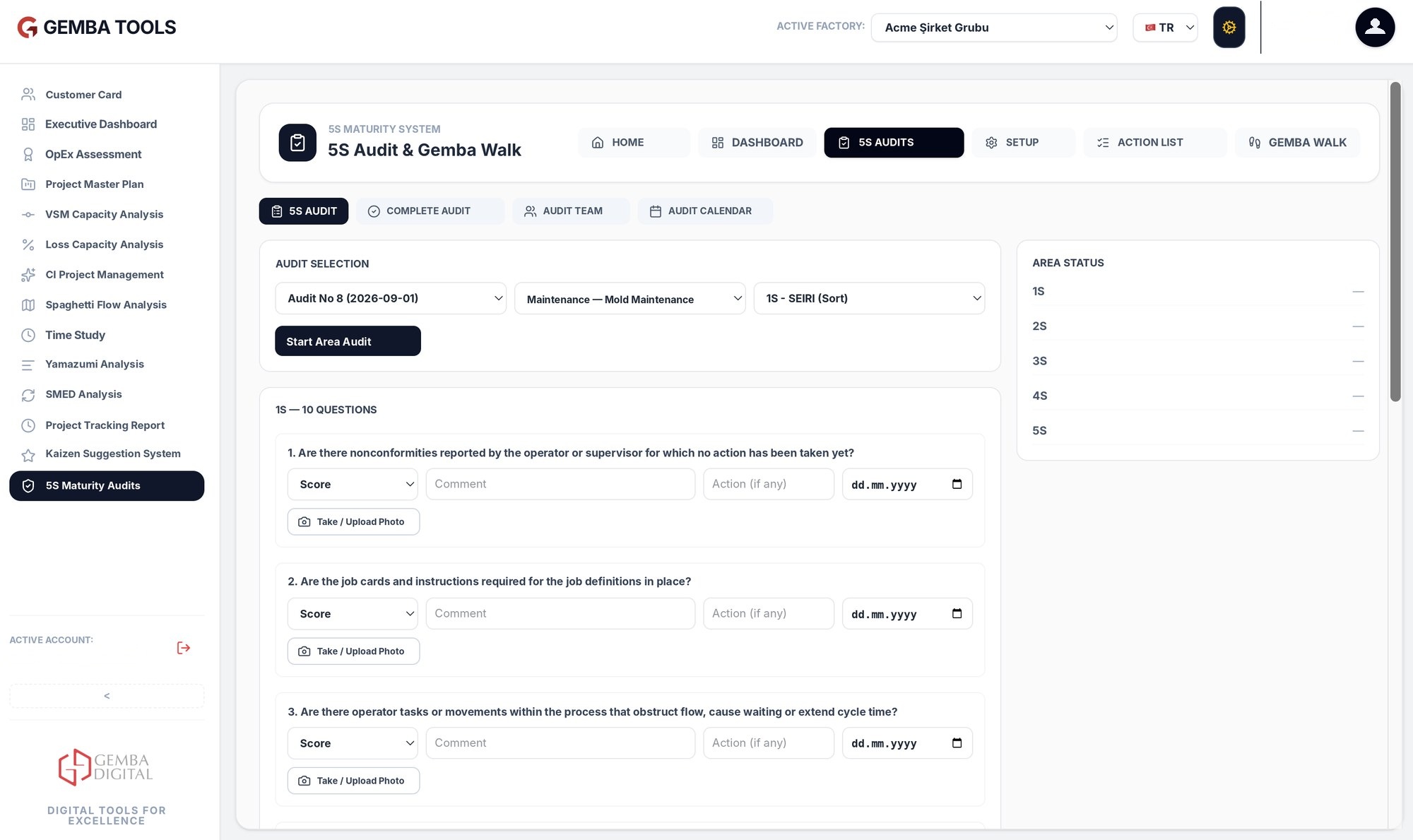
Run area-based 5S audits from a tablet; photograph findings and see scores and trends instantly.
- Area-based audit forms
- Adding photos and notes
- 5S score and trend tracking
- Assigning actions to findings
Why Gemba Tools?
Configured for your processes
The apps are adapted to your own processes and forms.
Fast deployment
Can be set up within days on Microsoft Power Platform.
Tablet, mobile and PC compatibility
The same app is used on a tablet on the shopfloor and on a computer in the office.
Performance visibility in one place
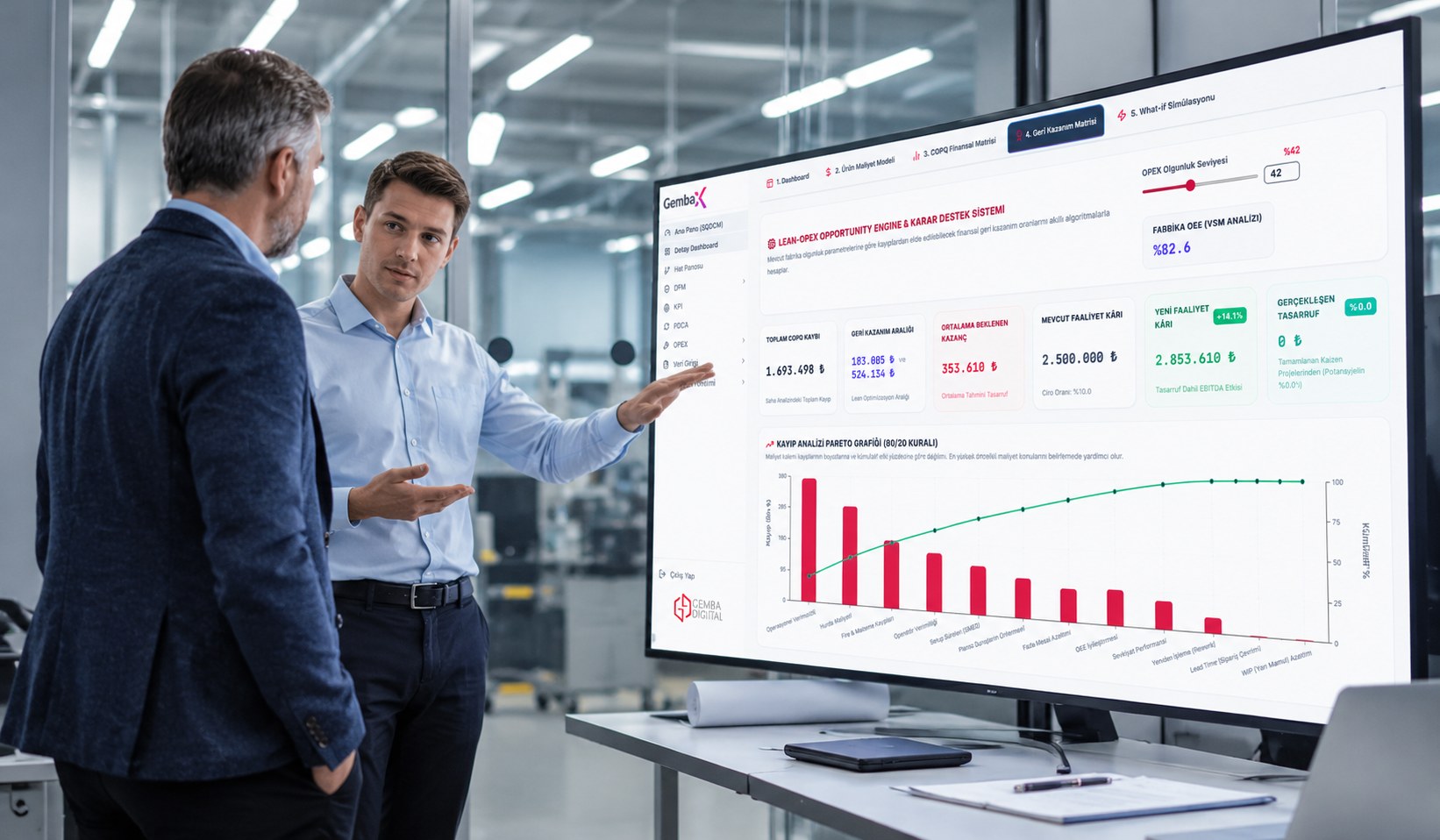
All apps on a single platform give teams a shared view of improvement activity and results.
System security
Because it runs on the local network, data stays inside the organization.
No additional license required
Access is provided with a corporate email.
Try Gemba Tools on your shopfloor.
Let's decide together which app to start with. Fill in the form and we'll get back to you within a business day.