What is Gemba OpXSuite?
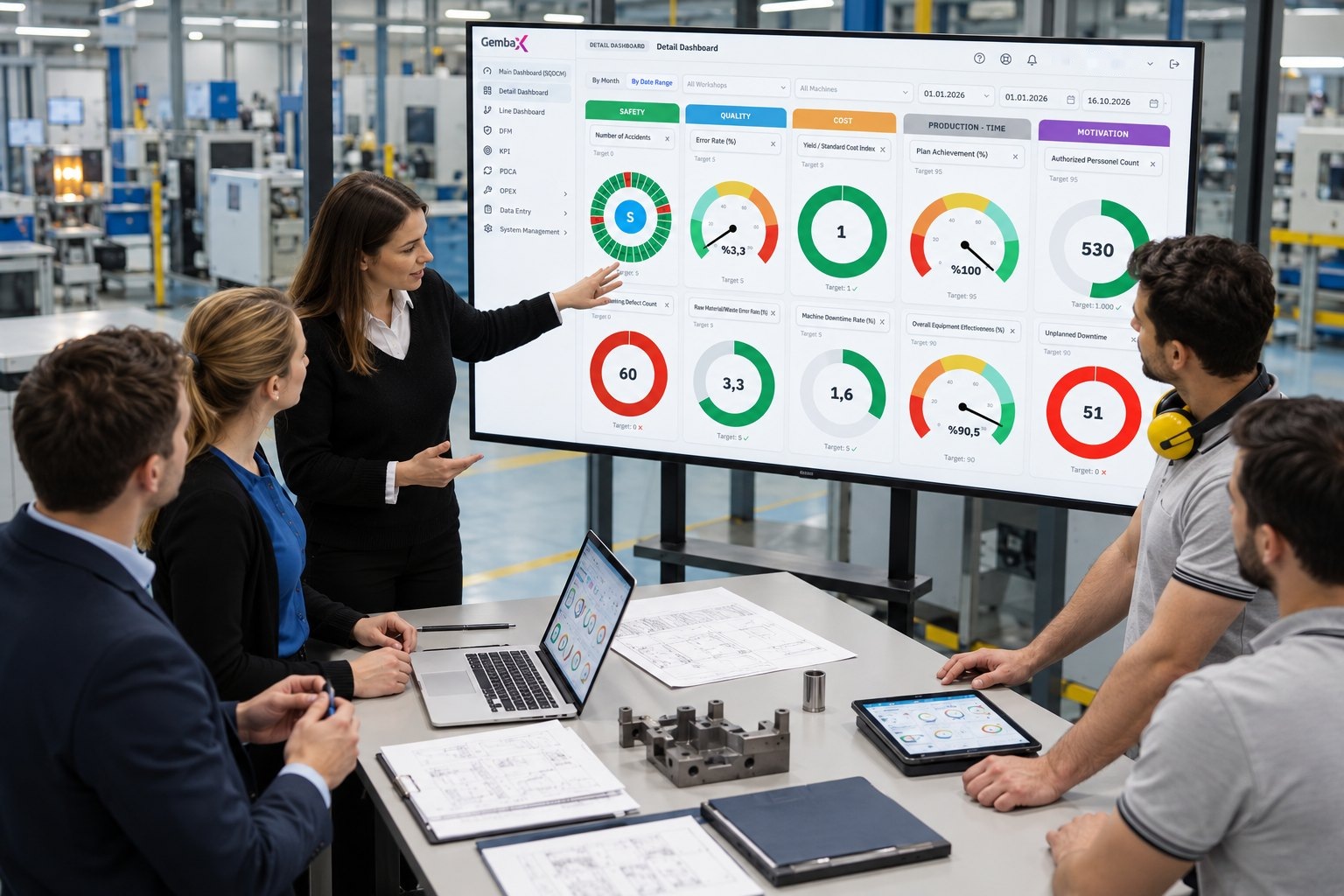
Gemba OpXSuite is a digital shopfloor management (DSFM) platform that brings SQCDM, KPI tracking, Pareto analysis and PDCA workflows together around a single source of operational data. Production managers run shift meetings directly from the dashboard and assign an owner and due date to each deviation.
It pulls data from your own systems: SQL, Oracle, ERP, SCADA, MES and Excel.
One platform, flexible modular structure.
One connected workflow for daily factory management.
Start with the standard management modules of Gemba OpXSuite®. In Pro and higher packages, extend your digital management system by adding Gemba Tools apps as needed.
Whole factory on one screen
Targets, actuals and critical deviations together in the executive summary. The dashboard highlights the areas that need management attention.
Explore the general status screen →- Summary view by factory and department
- Indicators outside target stand out
- Drill down to detail with one click
- Role-based views for plant, department and executive teams

Monitor the health of your operation at a glance
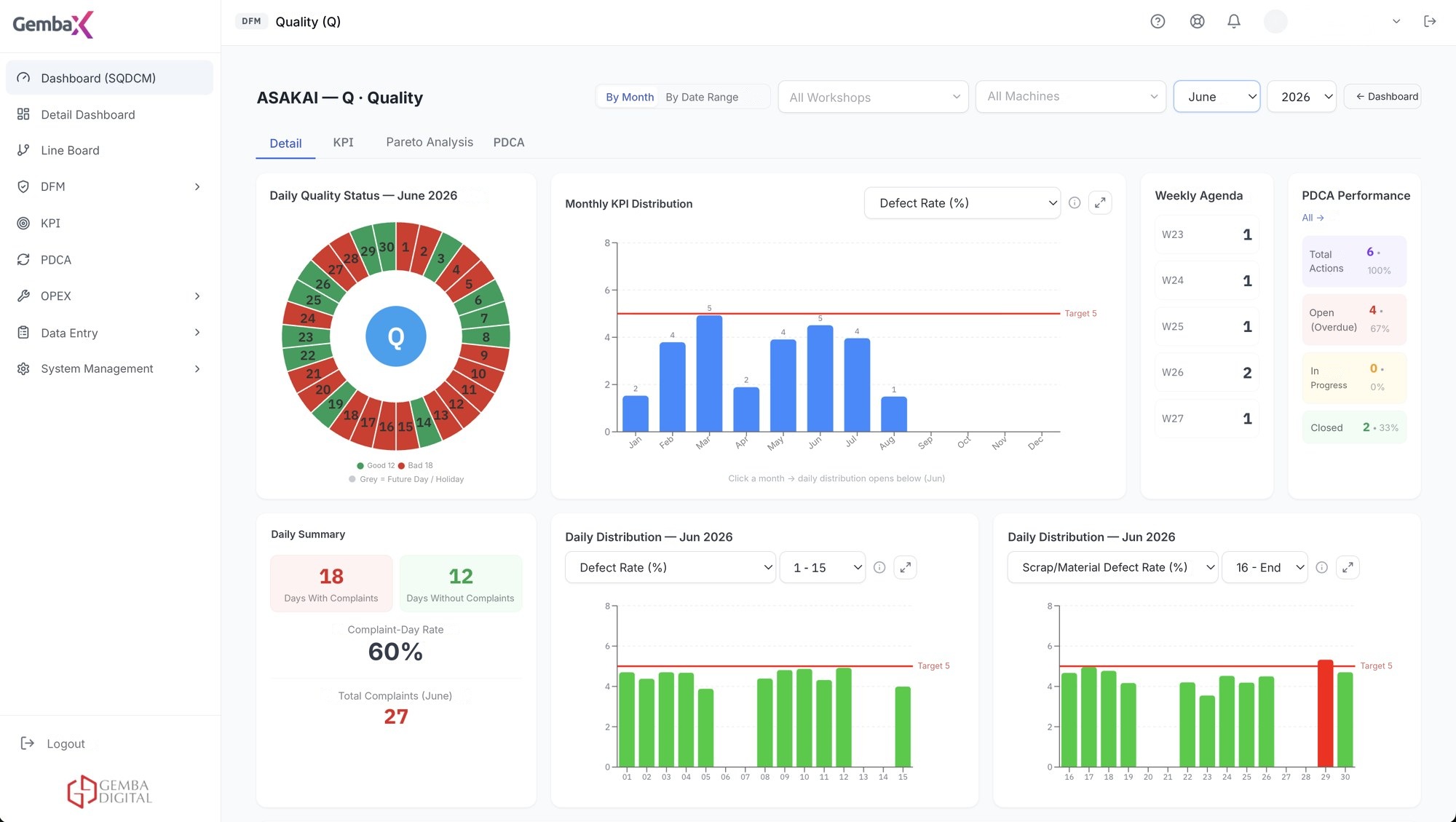
Safety, Quality, Cost, Delivery and Morale indicators are ready at the start of the day. The meeting starts with decisions, not data collection.
Explore the SQCDM dashboard →- All five SQCDM dimensions on one board, with targets
- Breakdown by factory, department, line and shift
- An indicator outside target stands out instantly
- One click from deviation to the related action

Run focused daily meetings from one live dashboard
Define department- and process-level KPIs with flexible targets. Data arrives automatically from source systems; nobody has to update Excel.
Explore daily management →- Flexible target definition per KPI
- Tracking by day, shift, line and department
- Automatic feed from SQL, Oracle, ERP, SCADA, MES and Excel sources
- Target and actual side by side, trend at a glance
Solve the biggest loss first
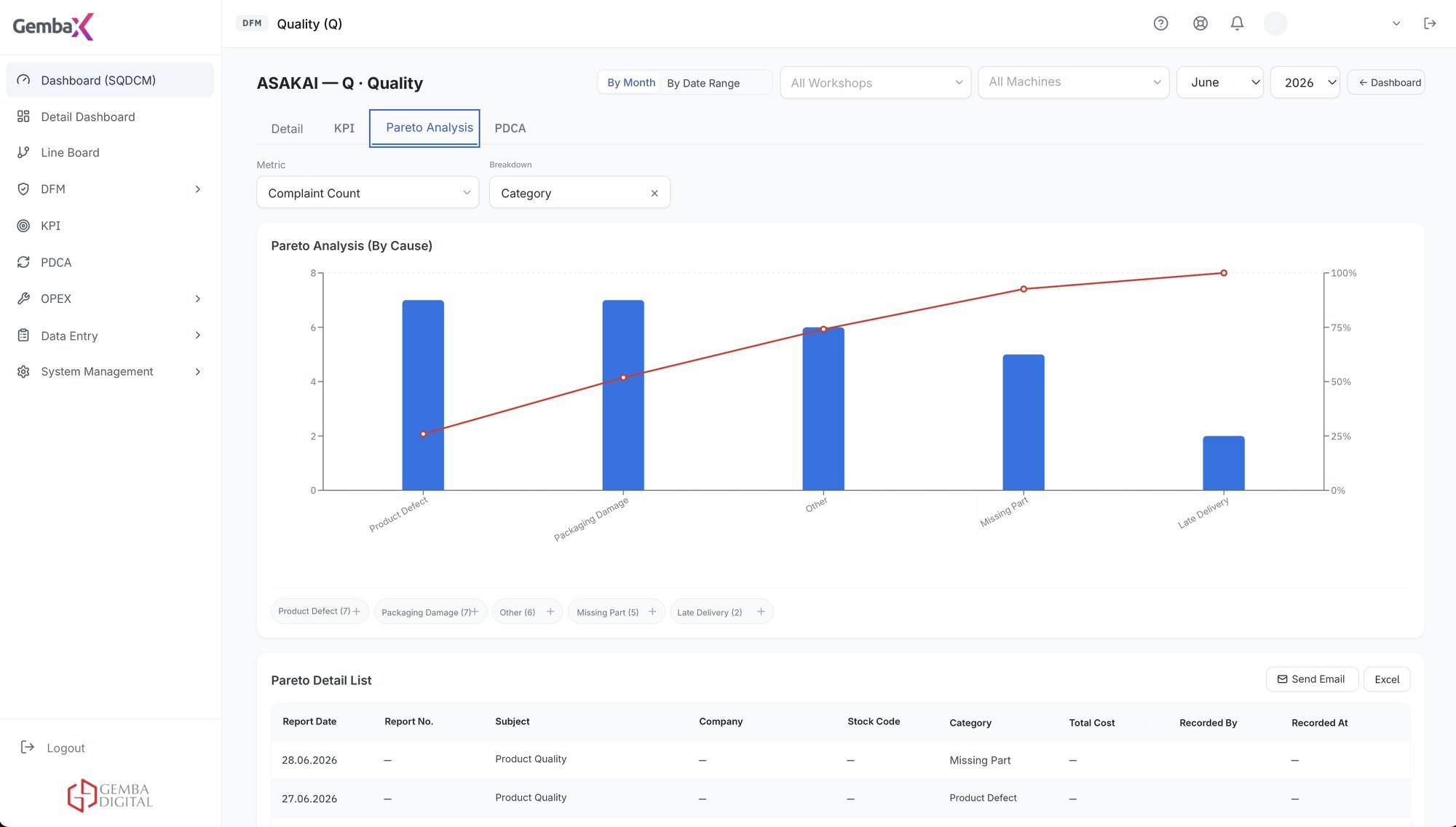
Rank losses by impact and recurrence; direct the team's energy to the problem with the greatest operational impact.
Explore the Pareto module →- Losses are ranked automatically from largest to smallest
- Deviation analysis linked to KPIs and processes
- Drill into loss causes to reach the root cause
- Open an action directly on the biggest loss
Tie decisions to results
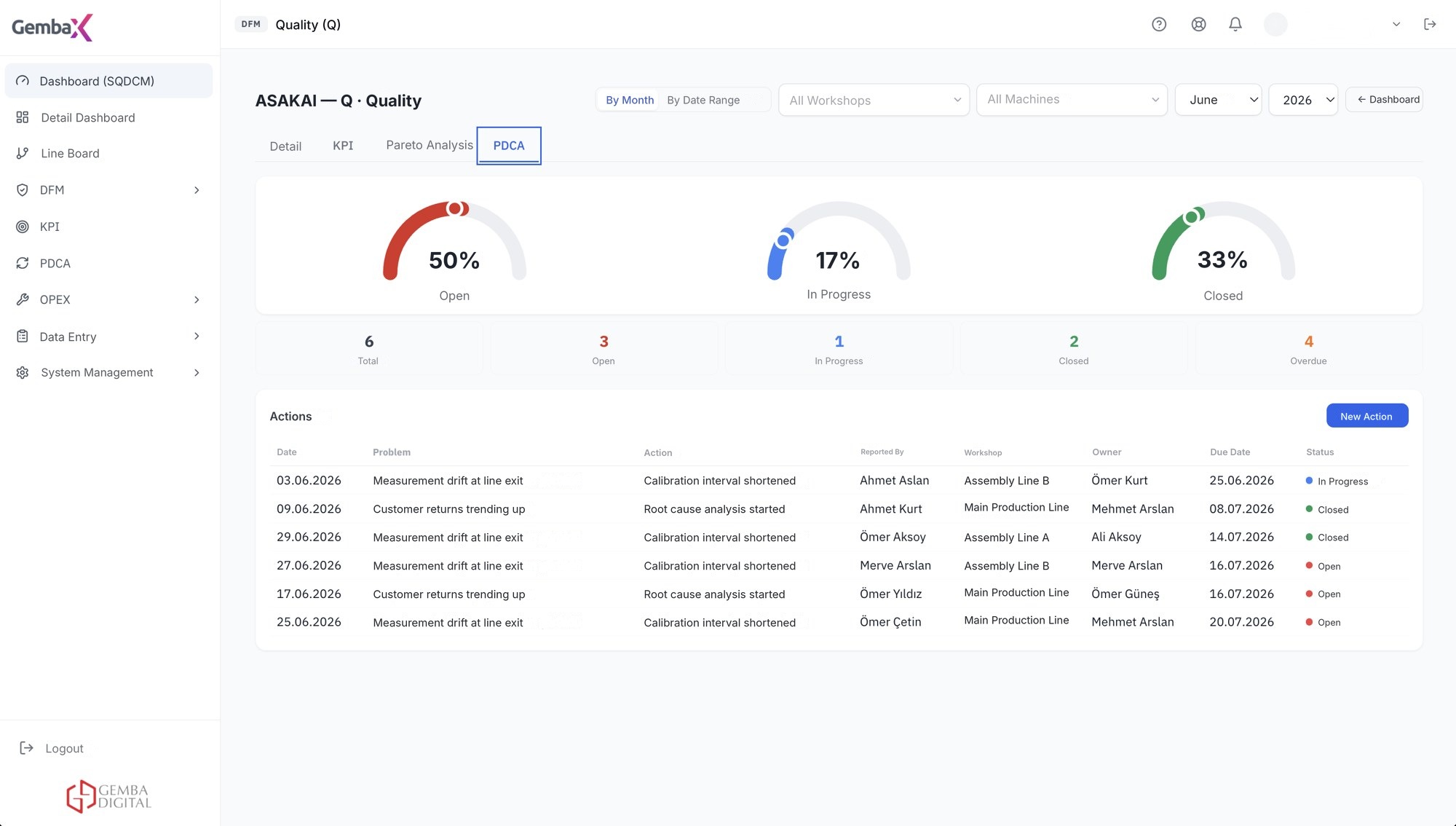
Every problem has an owner, due date and status. Actions progress through the PDCA stages and stay visible until closed.
Explore the PDCA module →- Actions are tracked by PDCA stage
- Owner and due-date assignment
- Due-date reminders
- Top 5 critical problems view
Manage Operational Excellence from a Single Platform
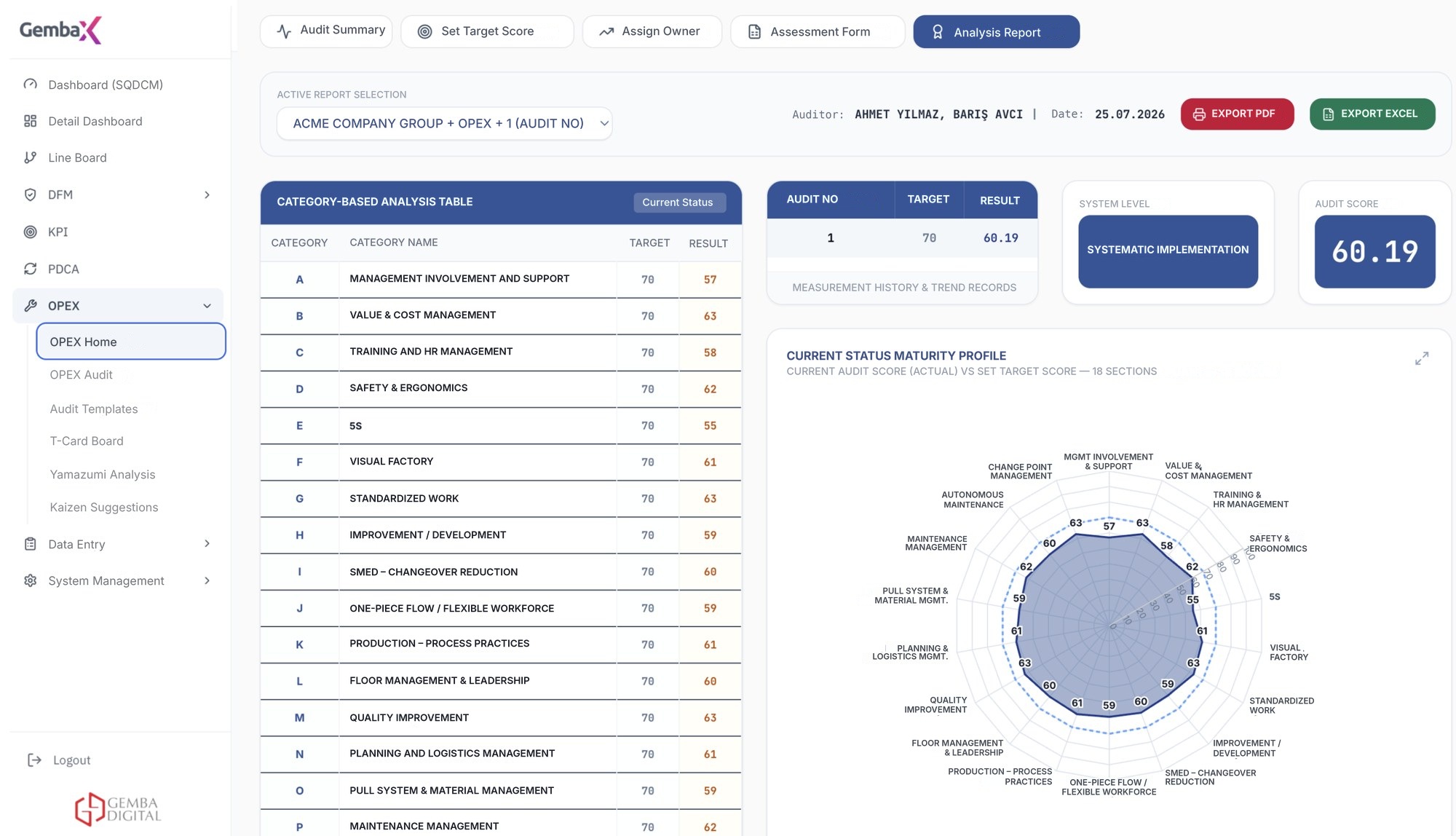
From value stream to loss analysis, from improvement projects to shopfloor standards, manage your OpEx activities in one connected digital workflow. Measure progress, see the financial impact of improvements and manage continuous improvement.
Explore OpEx Apps →- Value Stream Mapping: Analyze your processes, identify bottlenecks and improvement opportunities.
- Loss and Gain Analysis: Evaluate operational losses with their financial impact and measure improvement gains.
- Improvement Projects: Track your Kaizen and PDCA work with targets, owners and results.
- Shopfloor Standards: Evaluate and manage 5S and workplace organization work in the digital environment.
- Suggestion Management: Collect employee suggestions, evaluate them and report on implemented improvements.
DIGITAL VISIBILITY AT EVERY LEVEL
The Right Information and the Right Decision for Every Management Level
Manage the Whole Operation from a Single Screen
Review plant and department targets, KPIs and critical deviations in one consolidated view.
Monitor Targets, Make Deviations Visible
Compare production, quality, efficiency and other operational indicators with targets.
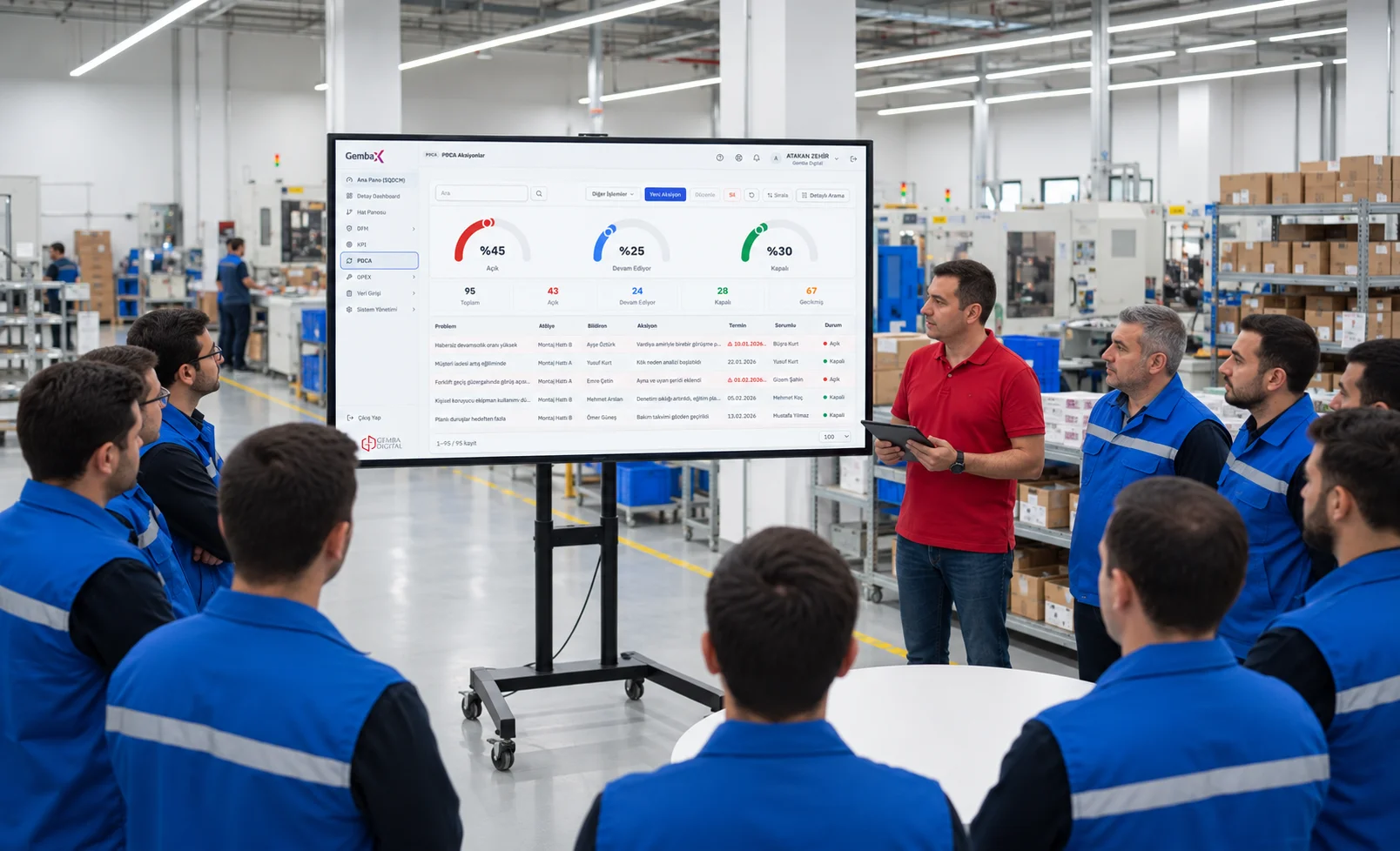
Turn Daily Meetings into Action
Evaluate daily and shift-based performance and record problems. Track actions with their owners and due dates so decisions turn into implementation.
Four steps from data to action
You don't need to learn a new system. OpXSuite connects your existing data with your daily lean-management routines.
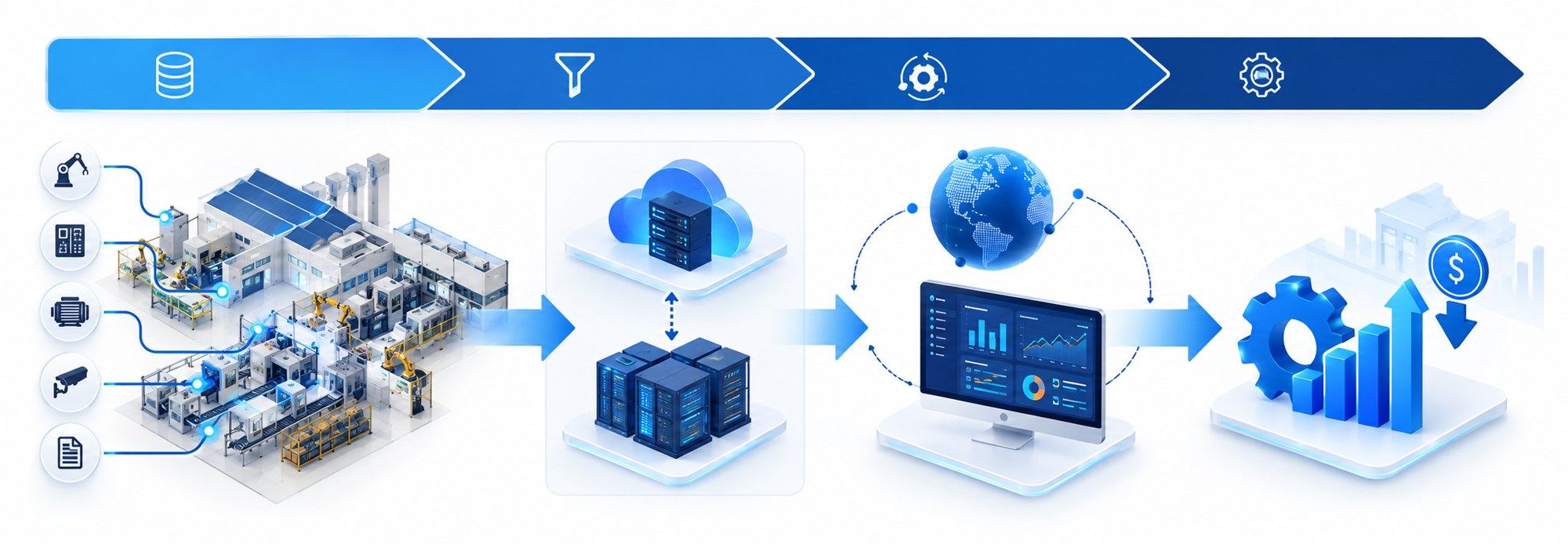
Collect data
Data arrives automatically from SQL, Oracle, ERP, SCADA, MES and Excel sources. Manual data entry and pre-meeting preparation are significantly reduced.
See deviations
On SQCDM and KPI boards, a deviation from target is visible the moment it occurs. Pareto identifies the biggest cause of loss.
Create actions
Go straight from deviation to a PDCA action; assign an owner and due date and record the decision before the meeting ends.
Track the result
With due-date reminders and the top 5 critical problems view, actions are tracked until closed.
Connect data to daily decision-making
Uninterrupted Information Flow from Management to the Shopfloor
Integrate operational information by enabling data flow between IT and OT systems; give every management level access to the right information.
See Deviations Instantly, Speed Up Decisions
Compare targets with actual results, detect deviations early and respond faster.
Align strategy with daily execution
Link strategic goals with daily operations; carry decisions into execution through two-way information flow between levels.
Choose the Package That Fits Your Needs
Each package includes all the features of the previous one.
- Main Summary Screen
- Meeting Calendar
- Lines and Overall Factory Performance
- Daily Performance Monitoring
- SQCDM General Dashboard
- SQCDM Detail Pages
- KPI Definition and Selection
- Deviation Management
- PDCA Management
- PDCA Performance Tracking
- Data Entry Tables
- Report Distribution
- Task Assignment and Email Notifications
- Shift Report Page
- Selecting Targets from Pareto
- Entering Actions via Daily Chart
- OEE Management Dashboard
- Cost Analysis Report
- OpEx Activity Management Dashboard
- OpEx Assessment
- VSM – Value Stream Mapping
- CI – Improvement Management Dashboard
- Project Tracking and Performance Management
- Kaizen / Suggestion Management
- 5S Audit
- MES Infrastructure Included
- Work Order Tracking System
- Andon Board
- MTTR – MTBF Management
Frequently asked questions about Gemba OpXSuite
What is digital shopfloor management (DSFM)?
Digital shopfloor management means tracking the KPI, deviation and action information used in shift and daily management meetings with software instead of paper and Excel. The goal is to spot deviations early and track each action together with its owner.
What is Gemba OpXSuite used for?
It shows production indicators in real time, turns deviations into actions and tracks the actions until they are closed.
What is SQCDM?
SQCDM is a lean management board that tracks the dimensions of Safety, Quality, Cost, Delivery and Morale. Gemba OpXSuite collects these indicators on one screen by line, department and shift.
Why is Pareto analysis important?
Pareto analysis ranks losses by impact from largest to smallest. This way the team starts with the biggest loss item instead of dealing with scattered problems, and opens an action directly.
How is a target deviation managed?
When an indicator goes outside its target, the deviation becomes visible on the board. The cause is identified with Pareto, a PDCA action is opened with an owner and due date, and it is tracked until closed.
Which data sources does it work with?
It connects to SQL, Oracle, ERP, SCADA, MES and Excel sources. It does not replace your existing systems; it brings them together on a single management screen.
What is the difference between Gemba OpXSuite and Gemba Tools?
Gemba OpXSuite is the main platform that runs the factory's management rhythm. Gemba Tools are tablet-friendly apps for shopfloor engineers and teams, covering Kaizen, 5S, PDCA and assessments.
How do setup and training proceed?
We proceed with discovery, pilot and rollout steps; training and consulting support come together with the software. For details see Training and Consulting and Implementation and Integration pages.

See OpXSuite using your own KPIs.
In a short meeting we learn about your current processes and challenges and show you OpXSuite using your own KPIs.