General Status Dashboard: see daily plant performance in one executive dashboard
A shared dashboard that summarizes plant performance and daily activity for shop-floor and senior managers. It highlights where management attention is needed first.
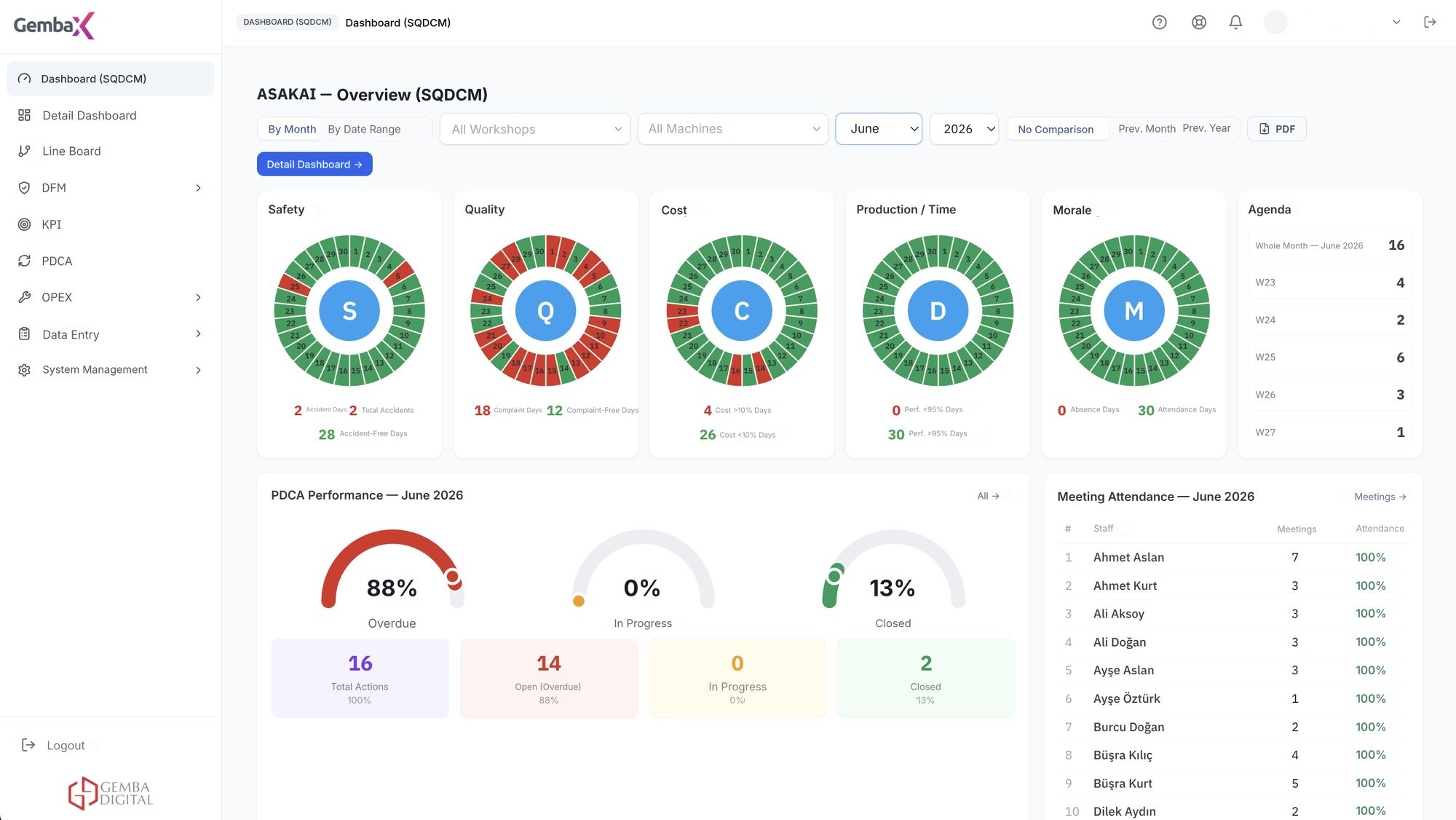
The starting point of daily management
Targets, actuals and critical deviations come together in the executive summary; drill into detail with one click.
The General Status Dashboard is the opening screen of the daily meeting: first the whole plant, then drill down to the department behind each deviation. The meeting is spent making decisions, not collecting reports.
Talk to an Expert →Whole factory on one screen
Summary view by factory and department; managers evaluate overall performance at a glance.
Target and actual side by side
Indicators are presented with their targets; deviations are noticed instantly.
Critical deviations stand out
Indicators outside target are made visible; the area that needs attention is immediately clear.
Daily activity summary
The day's meetings, open problems and actions are collected on the summary screen.
Drill down to detail with one click
From the summary screen, move to the relevant SQCDM, Pareto or PDCA screen to reach the source of the deviation.
A view suited to every level
The right information at the right level of detail for the shopfloor leader, department manager and senior management.
The daily management cycle in Gemba OpXSuite
Six steps work as one flow: collect data, review plant performance, monitor KPIs, manage daily performance, prioritize deviations and verify the impact of corrective actions.
Data collection
Data flow is established from SQL, Oracle, ERP, SCADA, MES and Excel sources.
Overall factory performance
Daily summary of the factory; indicators outside target stand out.
SQCDM
Indicators are monitored in the structure of safety, quality, cost, delivery and morale.
Daily KPI / performance
Targets are defined, daily data is managed from one place.
Pareto – deviation management
Deviations are ranked by impact and priorities are set.
PDCA
An owner and due date are assigned; the impact is verified in the indicators.
Monitor the health of your operation at a glance
Safety, quality, cost, delivery and morale indicators are monitored in a single structure; daily meetings are run from the same screen.
- Safety, quality, cost, delivery and morale indicators in a single structure
- Indicators outside target stand out by color
- The daily Asakai meeting is run from the same screen
- Access from the shopfloor, the office or mobile devices
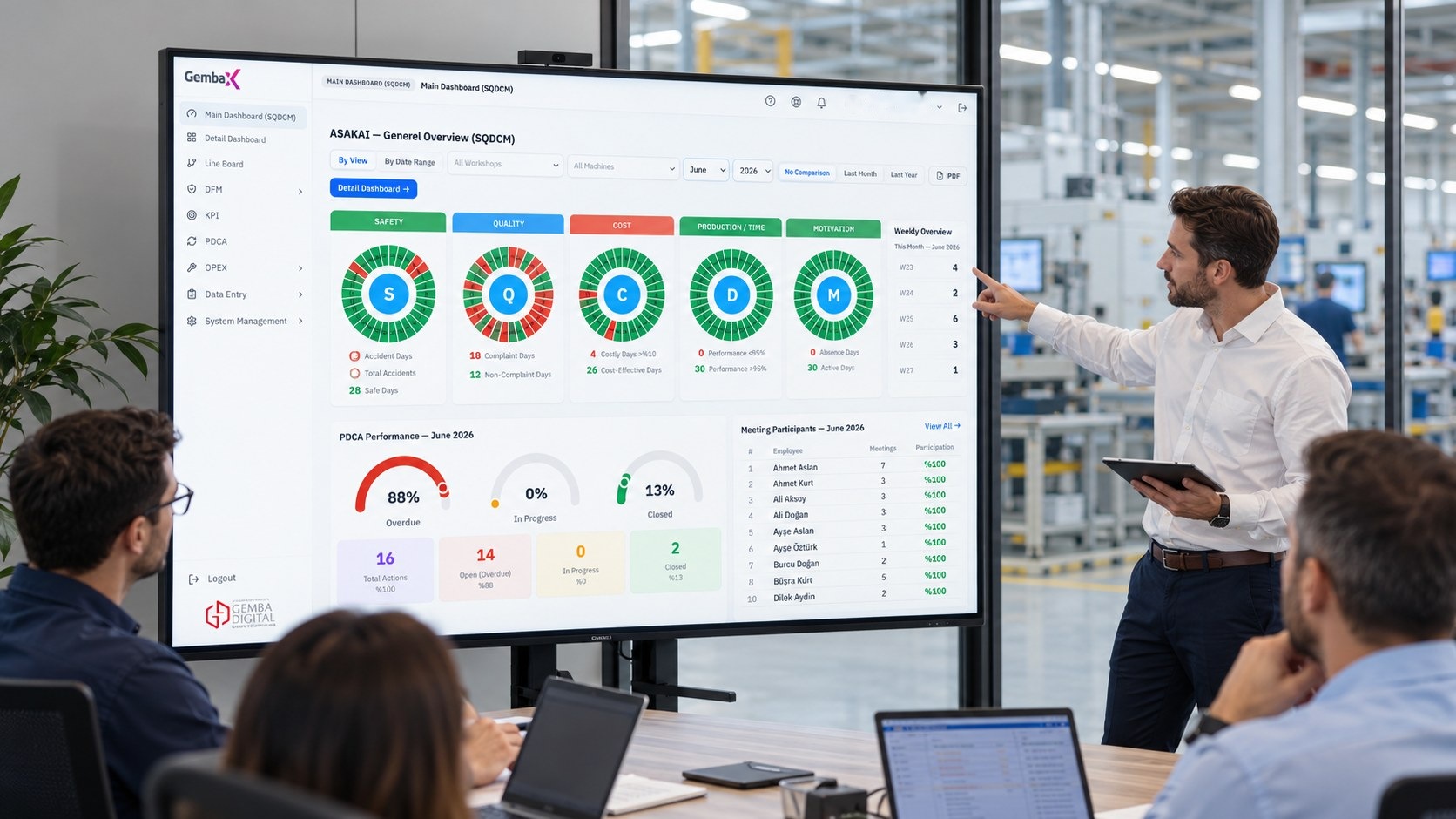
How is it used on the shopfloor?
Review the dashboard: indicators outside target and critical deviations stand out.
The meeting moves department by department from the same screen; no separate presentation needs to be prepared.
Drill down by clicking the relevant indicator; the SQCDM, Pareto or PDCA view opens.
Open problems and action statuses stay visible; closure is verified.
One shared view, with the right level of detail for every role
- Plant manager. Sees the summary of the day at a glance and starts the meeting from the critical points.
- Department manager. Compares actual results with targets for their own department.
- Shopfloor leader. Sees the deviations and open actions in their shift.
- Senior management. Monitors overall performance without drowning in detail.
Works with your existing systems
OpXSuite connects to your existing databases and source systems without creating an additional data-entry burden.
Frequently asked questions
Who is the General Status dashboard for?
It is designed for all managers who monitor daily performance, from shopfloor leaders to the plant manager; it offers a summary suited to every level.
What data is shown?
KPIs connected to Gemba OpXSuite, target and actual values, deviations, and the status of open problems and actions are shown. Data can be fed from sources such as SQL, Oracle, ERP, SCADA, MES or Excel.
Can you drill into detail from the summary screen?
Yes. From the general status screen you go to the relevant SQCDM, Pareto or PDCA view with one click.
What is the difference between the General Status dashboard and the SQCDM dashboard?
General Status summarizes targets, actuals and critical deviations for the manager. The SQCDM dashboard breaks the indicators down in detail across five dimensions.
Can it be viewed on mobile devices?
Yes. The dashboard can be accessed from the shopfloor, the office or mobile devices.

See your plant's performance in one view
In a short meeting, we'll demonstrate the dashboard using your own KPIs.